Starting with a complete responsive header section is super useful and a massive timesaver. In this video I will show you how to set the header block and you will how easy and quick it is.
Common issues with the header block
Button overlaps hamburger menu
After importing the header blocks it may happen that the buttons overlaps the hamburger menu on the mobile view. It might look like this:
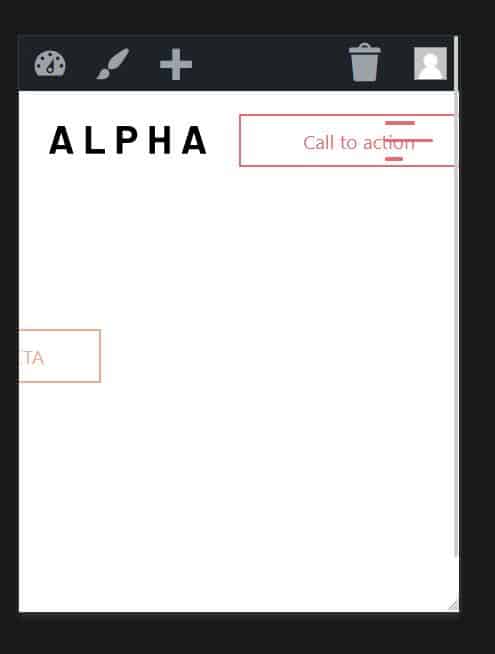
There are 2 fixes to this issue.
Solution #1
Set the min button width to 0px. This will fix the issue but it will effect your other buttons on the website. If this is not a problem for you then proceed.
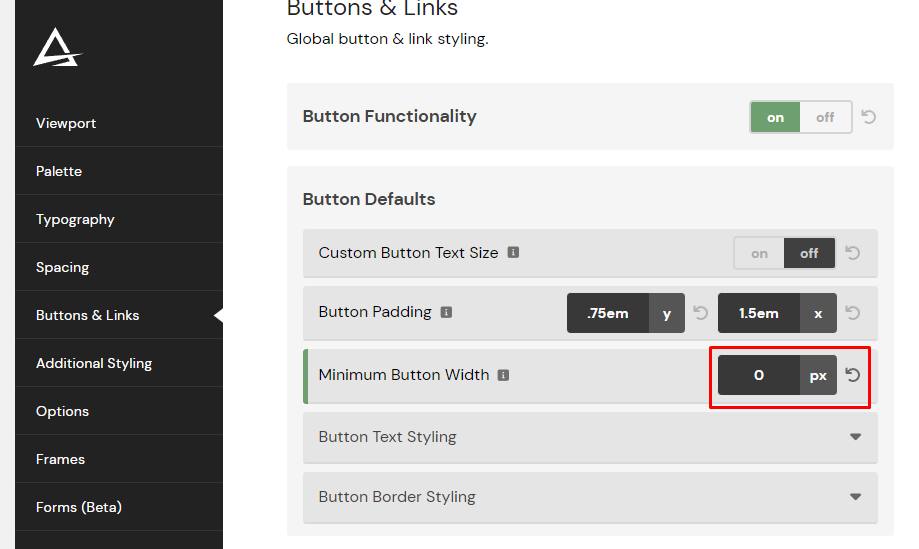
Solution #2
Set the min button width to 0px on the button BEM class in the editor. Select the class of the button and go to Layout and set the min width to 0px. This will only effect the button in the header. The other buttons on the website will inherit the styling settings from ACSS.